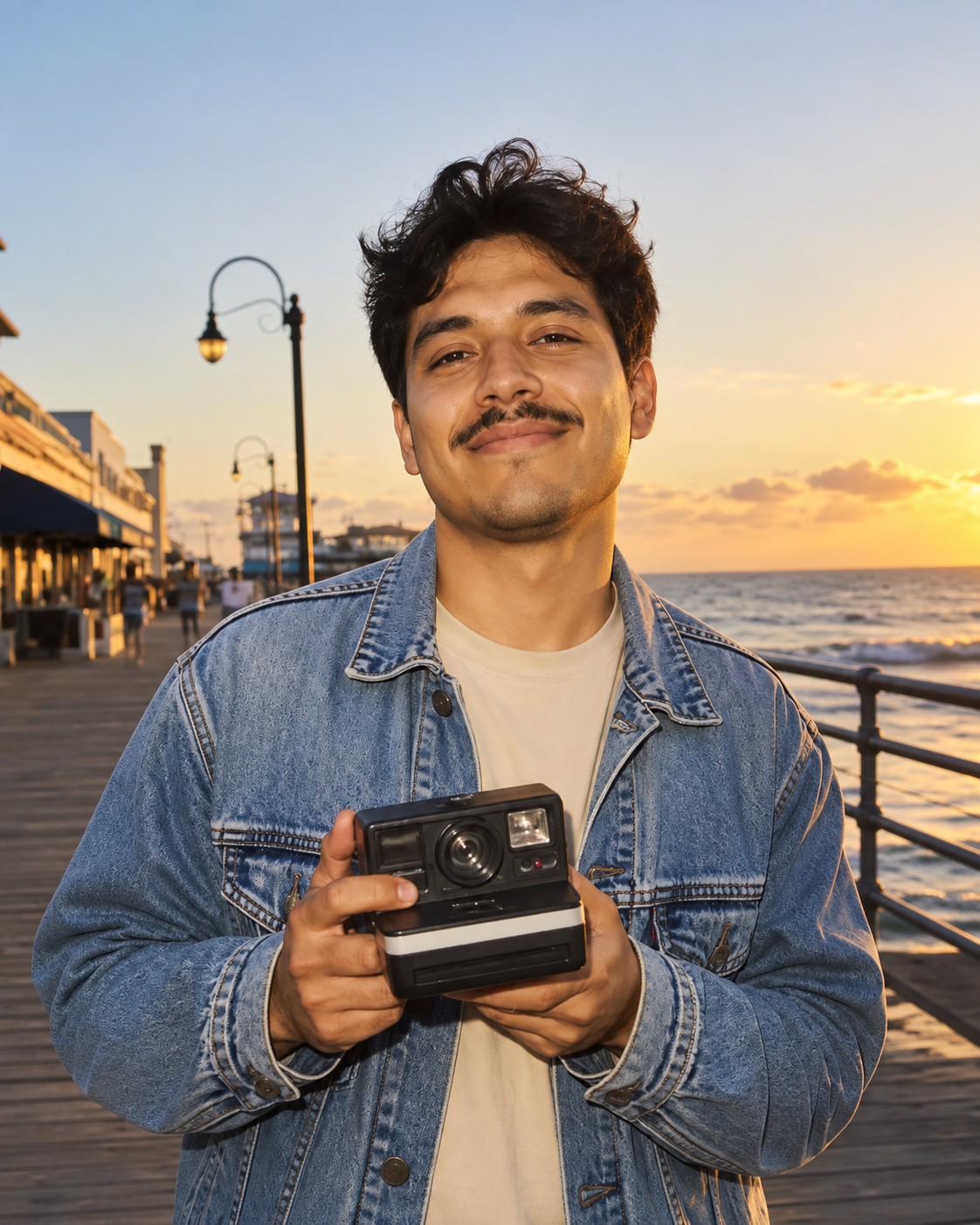
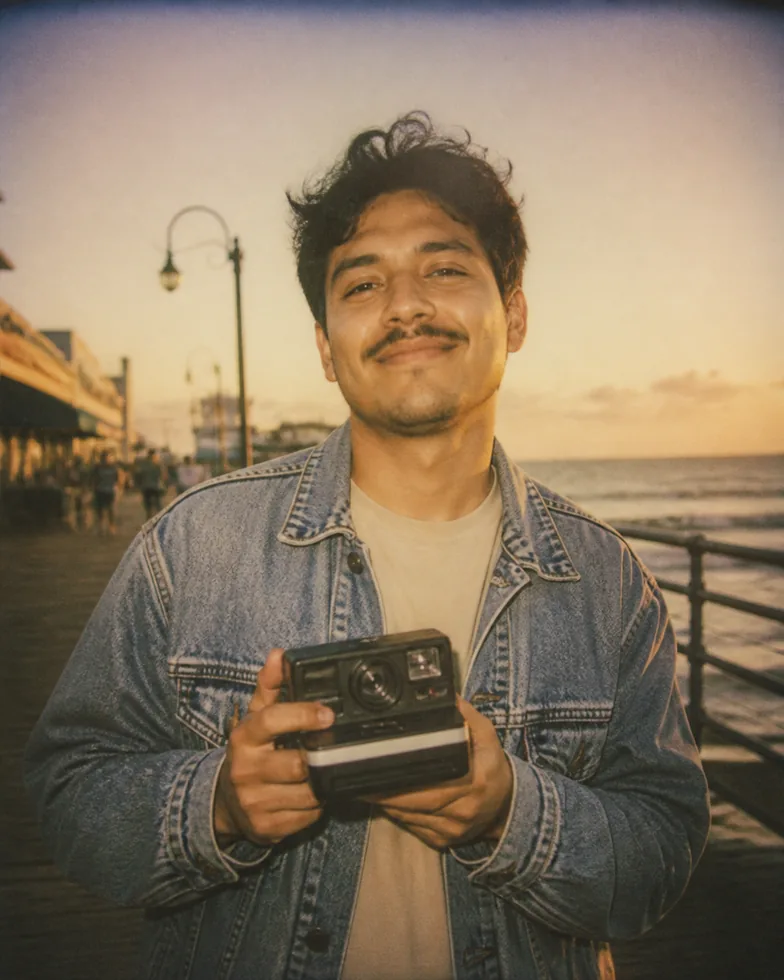
Create a warm instant-film memory from a digital photo
Photo to Vintage Polaroid gives a modern digital image the softer contrast, warm color, gentle grain, and nostalgic atmosphere associated with an instant-camera photo. Upload a portrait, a holiday moment, or a relaxed street photo, then select Vintage Polaroid in the AI Photo Style Changer. The tool uses the source image as the visual anchor for the person, clothing, pose, and setting, then applies a restrained instant-film interpretation. The objective is a photo that still feels like the original moment, only with the character of a memory that has been carried, shared, and looked at again.
The best vintage effect is not simply an orange filter. Instant photography often has slightly softened detail, subtle falloff in light, a mild vignette, and color that feels less clinical than a current phone camera. The Vintage Polaroid preset brings those cues together while protecting the elements that make the image yours. It does not add fake handwritten captions, logos, or unnecessary frames. That keeps the result flexible: it can become a social post, a scrapbook-style image, a creative reference, or a starting point for a printed keepsake without imposing a message you did not ask for.
Photo to Vintage Polaroid is deliberately simple to use. There is no prompt field to master and no long menu of film settings to guess at. Choose an image that already has a clear mood, select the preset, and generate. You can then compare the new result with the source, keep it in your private history, and download it when it is ready. For rights and privacy, only upload photographs you are allowed to edit, and choose a source where the main subject remains visible even after the style softens the image.
How to create a vintage Polaroid-style photo in three steps
1. Pick a photo with a natural moment
Choose a portrait, travel photo, casual group image, or street scene with one clear subject or story. Warm light, a relaxed expression, and a recognizable environment often work especially well. Start with a photo that is sharp enough to read before the style adds softer instant-film character.
2. Select Vintage Polaroid
In the AI Photo Style Changer, choose Vintage Polaroid. The preset introduces gentle grain, mild flash falloff, soft faded color, and subtle vignetting while preserving the face, pose, and composition that came from your image.
3. Generate and save the result
Create the new image, check that the key details still feel right, and download it when it is ready. If the scene feels too busy, try a tighter crop or a source photo with a clearer focal point. Your completed conversions remain private until you choose to delete them.
Who should use a Vintage Polaroid photo effect
Vintage Polaroid is a natural fit for people who want a photo to feel warmer, more human, and less polished than a studio edit. It can bring a sense of time to a recent image without pretending that the event happened decades ago. The look is especially effective for travel portraits, friends at golden hour, casual couple photos, weekend scenes, street photography, and family moments where the emotion matters more than technical perfection. Because the preset starts from the real image, the result keeps the original memory at the center.
The style works by reducing the digital sharpness just enough to create atmosphere while retaining important detail. Colors become softer, highlights can feel a little more diffused, and the frame gains a gentle visual falloff. Those changes are useful when an image looks technically fine but emotionally flat. A Vintage Polaroid treatment can turn a clean waterfront portrait into something more intimate, or make a casual snapshot feel ready for a printed mood board. If you need exact color correction, object removal, or a background replacement, use the Free AI Photo Editor for that focused task first.
For dependable results, keep the story simple. Let one person, one object, or one gesture lead the frame. Avoid source images that are so dark that the face disappears, or so heavily filtered that it is hard to tell what is original. Natural warm light often complements the style, but an indoor flash moment can also work when the person is visible. Think of Photo to Vintage Polaroid as a way to preserve the feeling of a photo, not as a replacement for choosing a good moment in the first place.
Explore another photo transformation
For a different creative direction, turn your photo into anime style or turn a photo into an oil painting.