AI Photo Style Transfer: 9 Looks to Try Online
Explore AI photo style transfer with nine creative looks, photo tips, and a simple workflow for making polished anime, film, and watercolor images online.
What if one photo could become an anime portrait, an oil painting, a warm film still, or a futuristic cover image without learning a complicated editor? AI photo style transfer uses a source image as the visual foundation and applies a new artistic direction to its color, lighting, texture, and mood. The goal is not simply to add a filter; it is to create a new interpretation while keeping the important subject and composition recognizable.
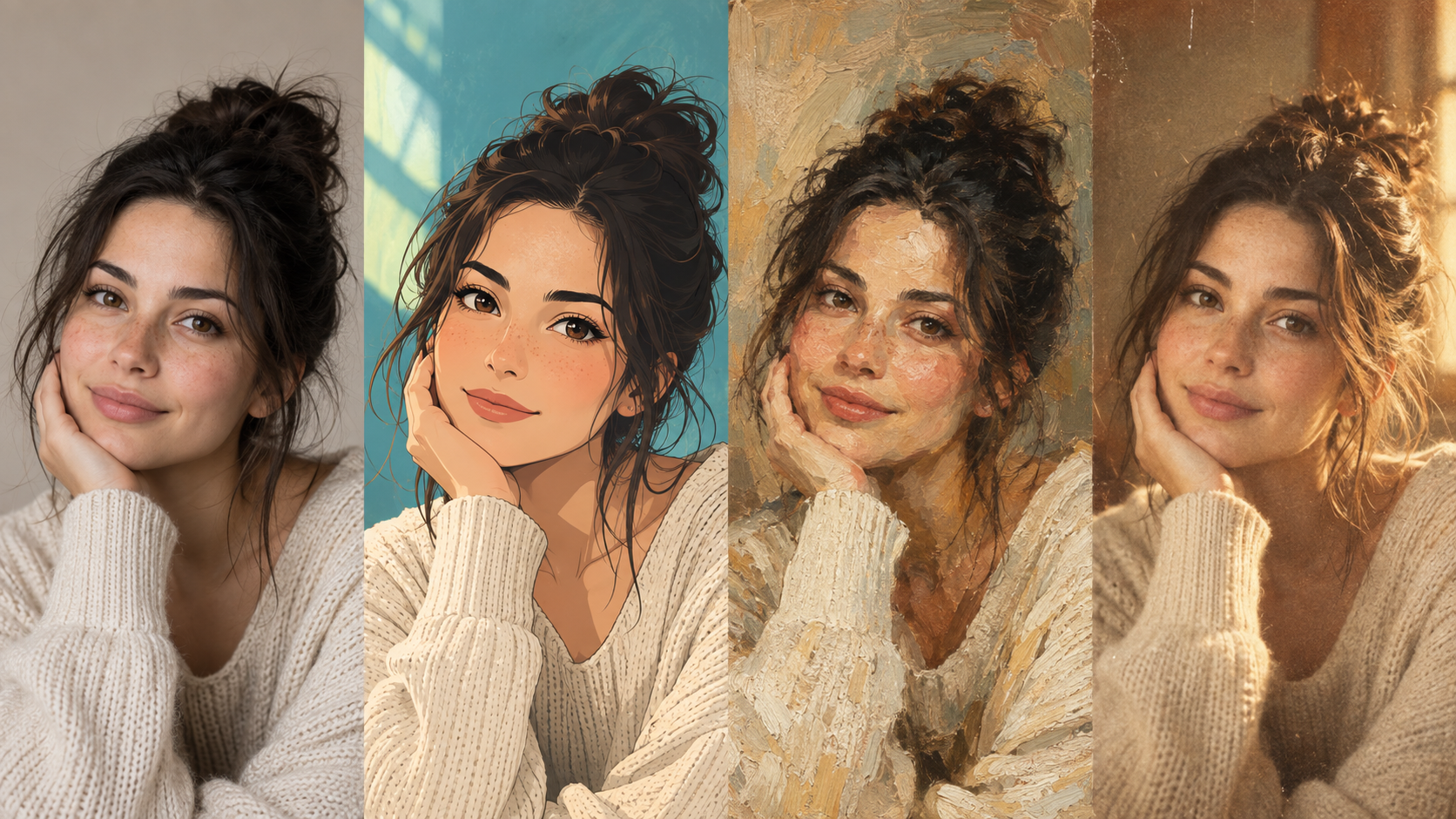
What is AI photo style transfer?
AI photo style transfer is a generative editing process that changes the visual language of an existing image. Instead of adjusting sliders one by one, you provide a photo and a style direction. The model analyzes the subject, then rebuilds the image with new lighting, colors, edges, materials, and atmosphere. A good result keeps the original idea easy to recognize while giving it a more deliberate creative treatment.
This is useful when the photo is already meaningful but the presentation needs to change. A portrait can become a profile concept, a travel snapshot can become a watercolor memory, and a product or campaign idea can be explored before a full shoot. If you want to try it immediately, the AI photo style changer lets you upload a JPG, PNG, or WebP image and choose a curated direction.
Nine AI photo styles to try
The best style depends on the subject, lighting, and intended use. These nine directions are designed to make that choice easier instead of asking you to invent a long prompt from scratch.
1. Anime Portrait
The Anime Portrait treatment turns a real face, hairstyle, outfit, and pose into clean illustrated linework, expressive eyes, and controlled cel shading. It works well for avatars, character concepts, birthday cards, and playful social profiles. Start with a well-lit portrait where the face is visible and the background is not competing for attention. Read the full guide to turn your photo into anime style when you want a clear illustrated result that still feels connected to the original person.
2. Oil Painting
Oil Painting adds layered color, directional brush texture, and a more timeless sense of depth. Family portraits, pet photos, still lifes, and images with a strong focal point are especially suitable because the painterly surface has room to develop around the subject. It can also help you test a gallery-inspired direction for a print, invitation, or creative presentation. See how to turn your photo into an oil painting while keeping the original composition as a reference.
3. Vintage Polaroid
Vintage Polaroid creates the feeling of an instant-film memory through warm color, softened contrast, gentle grain, and subtle light falloff. It is a natural fit for couple photos, weekend snapshots, travel diaries, and scrapbook projects. Choose a moment with an uncomplicated story rather than a highly technical product shot. To explore a softer nostalgic treatment, give your photo a vintage polaroid look and compare it with the original.
4. Watercolor
Watercolor replaces hard digital edges with transparent washes, delicate pigment blooms, and paper-like transitions. Outdoor portraits, botanical scenes, architecture, and travel images with open space give this effect room to breathe. It suits stationery, invitations, mood boards, and calm editorial posts where a handmade feeling matters more than sharp micro-detail. A simple background helps the main subject remain readable through the lighter treatment. Try the watercolor photo filter for an airy alternative to a standard photo.
5. Cinematic Portrait
Cinematic Portrait uses intentional contrast, directional highlights, richer shadows, and a stronger sense of atmosphere. It can turn a creative headshot into a film reference, music artwork, or campaign concept without requiring a complete reshoot. Side light, a clear expression, and a recognizable environment give the treatment useful visual cues. The cinematic photo filter is a strong starting point when the image needs drama and a clear visual story.
6. Analog Film
Analog Film introduces restrained grain, organic color shifts, and the small imperfections associated with a scanned negative. It works for street photography, travel journals, everyday portraits, and product scenes that feel too clinical when left perfectly digital. Because the effect is controlled rather than extreme, it is helpful when you want several photos to feel like part of one visual diary or campaign board. Use the analog film photo look when mood should change without overwhelming the subject.
7. Korean Street
Korean Street combines crisp urban detail with soft daylight, balanced color, and a quiet editorial mood. Cafés, storefronts, casual outfits, and portraits made during a city walk are good candidates. The result feels considered but not overproduced, which makes it useful for lifestyle posts, travel content, and fashion references. Visible architecture and a little negative space help the streetscape share attention with the subject. Explore the korean street photo style for a contemporary city direction.
8. Editorial Fashion
Editorial Fashion emphasizes silhouette, styling, clean backgrounds, and confident light. It is useful for outfit portraits, lookbook tests, personal branding, and campaign planning because it makes posture and clothing shape easier to evaluate. Start with an image where the full styling is visible and the pose is intentional. The editorial fashion photo style can turn a casual reference into a more composed magazine-like concept.
9. Cyberpunk
Cyberpunk introduces luminous accents, high-contrast color, reflective surfaces, and a futuristic night-time atmosphere. It is a natural fit for gaming concepts, music covers, character art, nightlife portraits, and visual experiments that need an energetic edge. Strong silhouettes and a simple focal point stop the neon treatment from becoming visual noise. Try the cyberpunk photo filter when you want a bold transformation with a clear subject.
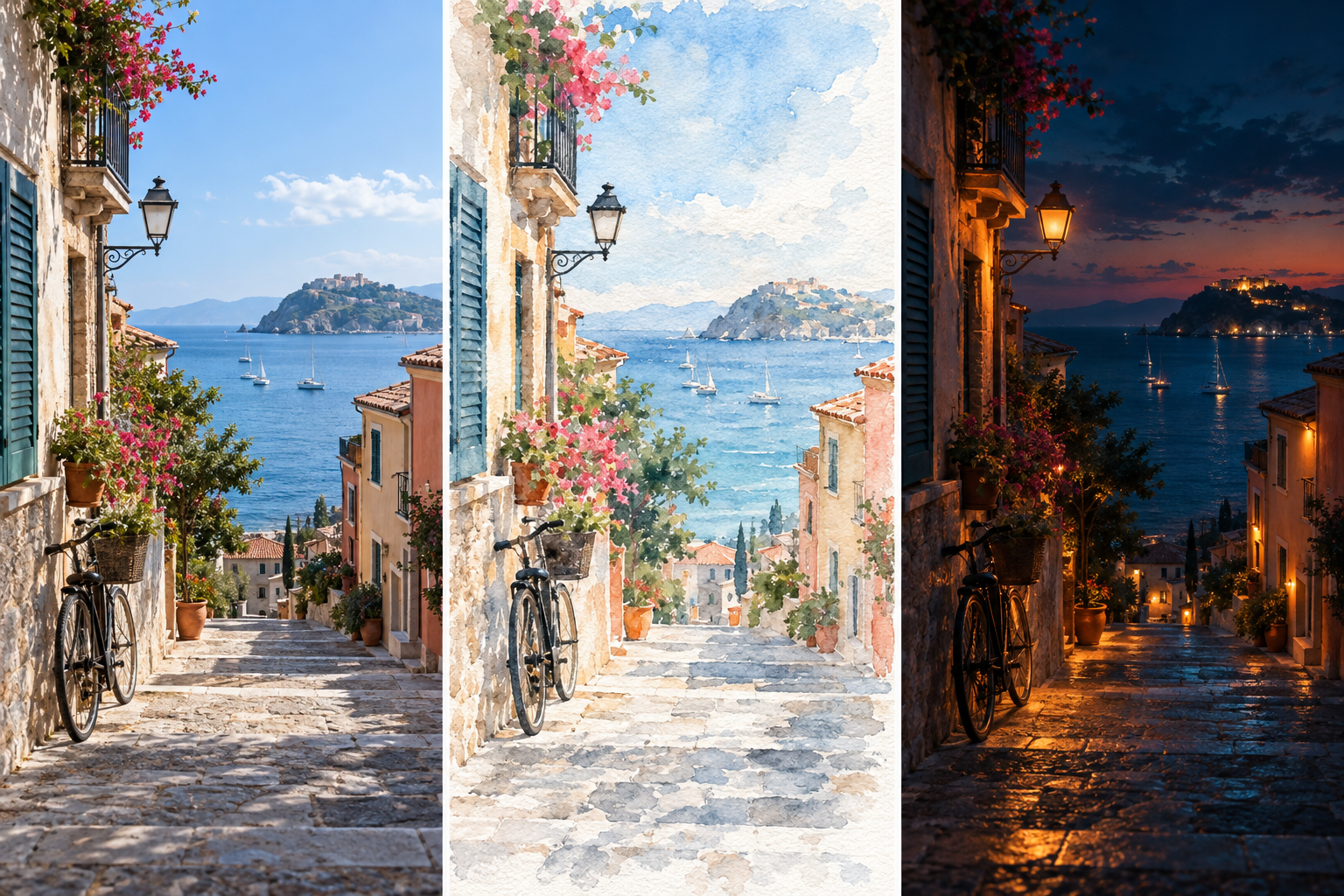
How to change a photo style with AI
You do not need advanced retouching skills or a long prompt. A reliable workflow is short and repeatable:
- Upload a clear source photo. Use a JPG, PNG, or WebP image with one main subject, visible details, and a composition you already like.
- Choose a visual direction. Match the preset to the job: anime for an illustrated avatar, film for a memory, editorial for a fashion concept, or cinematic for a dramatic portrait.
- Generate and review the result. Give the process time to finish, then compare the new image with the source. Look first at identity, pose, hands, clothing, and background structure.
- Download or try another direction. If the idea is right but the mood is not, keep the same source photo and test a nearby style rather than changing everything at once.
How to choose the right source photo
The input image still matters. A style model can reinterpret visible information, but it cannot reliably recover details that are tiny, blurred, hidden, or cut off.
- Use even light and avoid a face that is mostly covered by shadow.
- Keep the main subject large enough to inspect at normal viewing size.
- Prefer one person or one clear object when identity and structure matter.
- Avoid screenshots of screenshots, heavy compression, and filters that already distort color.
- Choose the pose and framing you want to keep before selecting a new look.
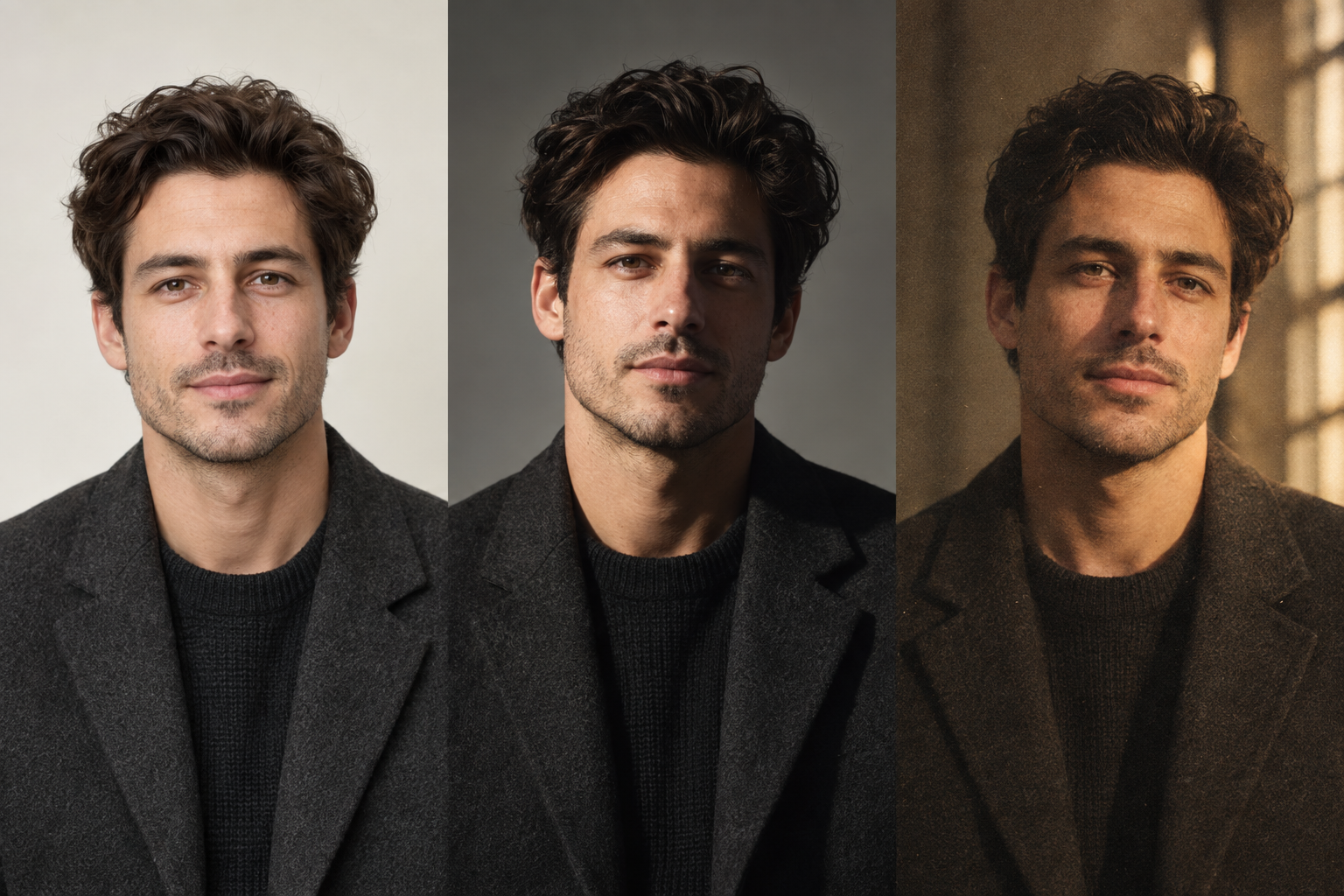
For a specific object removal, lighting change, or background instruction, a prompt-based AI photo editor may be a better fit than a whole-image style preset. If the composition is right but the file is too soft for a final use, you can also use the online image upscaler after creating the style. The AI background remover is useful when a styled subject needs a transparent or cleaner background.
Free and Pro exports
Photo Style is designed so that you can test a direction before committing to a larger workflow. New accounts receive 10 shared credits, and credits do not expire once granted. Free exports include the site watermark. Paid plans provide more monthly credits and clean, watermark-free exports for work that is ready to share or publish. Review the Photo Style pricing options before starting a larger batch of images.
Frequently asked questions
What is the best AI photo style for portraits?
There is no single best choice. Anime Portrait works for illustrated avatars, Cinematic Portrait adds drama, Editorial Fashion highlights styling, and Analog Film keeps a natural photographic feel. Start with the purpose of the image, then choose the direction that supports it.
Can I turn a photo into anime online?
Yes. Upload a clear portrait, select Anime Portrait, and generate the result online. A face that is well lit and large enough to see generally gives the model more useful information than a distant or heavily blurred selfie.
Does AI photo style transfer preserve the original person?
It is designed to preserve the main subject, pose, and broad composition, but generative editing is not pixel-for-pixel retouching. Review facial details, hands, accessories, and small background objects before using the result publicly.
Which images work best with an AI photo filter?
Images with one clear subject, good lighting, moderate resolution, and a simple background are the safest starting point. Portraits, pets, travel scenes, products, and still lifes can all work when their focal point is easy to identify.
Can I use the generated image commercially?
Check the rights to your source image, the people and brands shown in it, and the terms that apply to your account and intended use. Photo Style provides a creative transformation tool; you remain responsible for permissions, trademarks, and any third-party material in the source.
Start with one photo and compare the direction
AI photo style transfer is most useful when it shortens the distance between an idea and a visual test. Begin with the source image you already trust, choose a direction that matches the purpose, and compare two or three controlled variations. When you are ready to experiment, try the AI photo style changer and turn one photo into a more intentional visual concept.